
Introduction
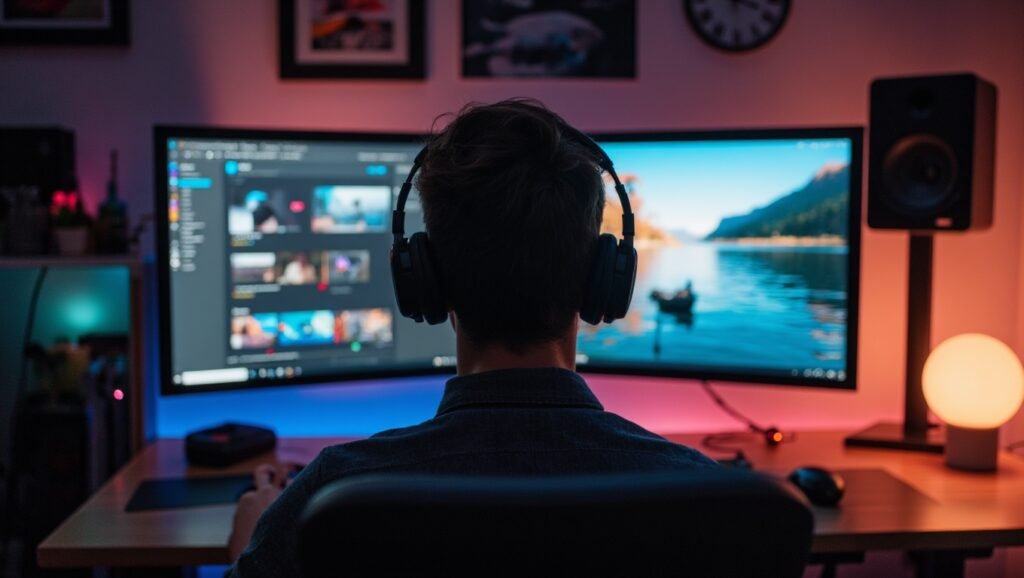
Let me paint you a picture. It’s 9 PM on a Tuesday. I’m sitting at my desk, coffee in hand, and I’ve got three windows open — a spreadsheet, a video editing timeline, and a browser with 14 tabs I swear I’ll close someday. Before last month, this meant juggling two monitors with mismatched bezels and a constant battle over which screen gets priority. Sound familiar?
Then I unboxed a 32:9 ultrawide curved monitor. And honestly? It felt like upgrading from a sedan to a stretch limousine. 😎
Now, I’m not saying every desk needs one of these beasts. But after spending 30 days using a 49-inch curved monitor as my daily driver — for gaming, work, and even late-night Netflix binges — I’ve got some strong opinions. Some good. Some… less good.
This isn’t just another spec sheet review. I’m going to walk you through what it’s actually like to live with a 32:9 ultrawide curved monitor. The highs, the lows, and the one thing that almost made me send it back.
What Even Is a 32:9 Ultrawide Curved Monitor? (And Why Should You Care?)
Before I dive into the nitty-gritty, let’s get the basics straight. You’ve probably seen the term “32:9” thrown around, but what does it actually mean?
Think of it this way: a standard monitor is like a 16:9 rectangle — that’s what you’re used to. A 21:9 ultrawide is a step wider. But a 32:9 ultrawide curved monitor? That’s essentially two 27-inch QHD monitors glued together without the bezel. We’re talking a single, seamless screen that’s about 49 inches diagonally.
And that curve? It’s not just for looks. Most of these monitors use a 1000R curvature, which means the screen wraps around your field of view like a gentle hug. The idea is that every pixel is roughly the same distance from your eyes, reducing eye strain and making you feel like you’re inside the action — whether that’s a racing game or a particularly intense Excel session.
Now, here’s the kicker: resolution. Most 32:9 panels run at DQHD (5120×1440) . That’s dual QHD. For context, that’s about 7.3 million pixels — slightly less than 4K (8.3 million), but way more than a standard 1440p display. It’s a sweet spot that offers sharp text without requiring a supercomputer to run.
The First Thing That Hit Me: Unboxing and Build Quality
I’ll be honest: when the delivery guy dropped off this monitor, I wondered if he’d accidentally brought me a piece of furniture. The box is massive. Like, “did I just order a small refrigerator?” massive.
But once I wrestled it out (pro tip: get a friend for this), the build quality immediately impressed me. The monitor I tested — a Samsung Odyssey Neo G9 — feels premium. The stand is sturdy, the back panel has a clean, almost spaceship-like aesthetic, and the curve is more dramatic in person than in photos.
One thing that surprised me: how much desk space it demands. A 32:9 ultrawide curved monitor needs about 45 inches of width. If your desk is smaller than 60 inches, you’re going to feel cramped. I had to rearrange my entire setup, moving my speakers to the edges. But honestly? The trade-off in screen real estate is worth it.
The ports are standard fare: DisplayPort 1.4, HDMI 2.1, USB-C with 65W power delivery, and a USB hub. Nothing revolutionary, but everything you need.
Display Quality: Where This 32:9 Ultrawide Curved Monitor Shines
Alright, let’s talk about the star of the show: the picture quality. Spoiler alert — it’s gorgeous.
I tested the monitor with both SDR and HDR content. In SDR mode, the colors are accurate and vibrant right out of the box. The VA panel delivers deep blacks — far better than IPS — and the contrast ratio is impressive. For productivity tasks like writing this very article, the text is crisp and easy on the eyes.
But where this monitor really flexes is HDR. Most of the high-end 32:9 ultrawide curved monitors now support HDR2000 or at least HDR1000. That means peak brightness of 1,000 to 2,000 nits. For context: that’s bright enough to make you squint in a well-lit room. 🌞
I loaded up Cyberpunk 2077 (one of the few games that natively supports 32:9) and… wow. Neon signs popped, dark alleys had depth, and the curve made me feel like I was actually driving through Night City. It’s the kind of experience that makes you understand why people say “you can’t go back.”
The 240Hz refresh rate and 1ms response time also deserve a shoutout. Fast-paced shooters like Call of Duty felt buttery smooth. No ghosting, no tearing — just pure, fluid motion.
Productivity Superpowers: Working on a 32:9 Ultrawide Curved Monitor
Let’s be real: most of us aren’t gaming 24/7. So how does this monitor handle real work?
The answer: like a boss. 💼
With 5120×1440 pixels, you can comfortably fit three full-sized windows side by side. I typically have my code editor on the left, my browser in the middle, and Slack or Spotify on the right. No more alt-tabbing. No more resizing windows every five minutes.
The Windows Snap feature works okay, but I highly recommend using FancyZones (part of Microsoft PowerToys) or the monitor’s built-in Picture-by-Picture (PbP) mode. PbP lets you split the screen into two virtual monitors, each with its own input. That means you can plug in your work laptop and gaming PC simultaneously, controlling both with one keyboard and mouse.
For content creators, this monitor is a dream. Editing a timeline in Premiere Pro? You can see the full video track without zooming out. Working in Lightroom? Before-and-after comparisons are a breeze. I even tried music production in Ableton Live, and having the full mixer view without scrolling was fantastic.
However, there’s a catch: not all software handles ultrawide resolutions well. Some apps stretch awkwardly or don’t scale properly. It’s not a dealbreaker, but it’s something to be aware of.
Gaming Performance: The Immersive Experience
If there’s one reason to buy a 32:9 ultrawide curved monitor, it’s gaming. Period.
I’m not a hardcore gamer, but even I felt the difference. In racing games like Forza Horizon 5, the extra peripheral vision makes you feel like you’re actually behind the wheel. In first-person shooters, the expanded field of view can give you a competitive edge — you’ll spot enemies that a 16:9 player would miss.
But here’s the catch: compatibility. Not all games support 32:9. Some older titles will either letterbox (black bars on the sides) or stretch the image awkwardly. You can use third-party tools like Flawless Widescreen or WSGF to fix some titles, but it’s not seamless.
Games that do support 32:9 natively, however, are breathtaking. Horizon Zero Dawn, Red Dead Redemption 2, and The Witcher 3 (with the next-gen update) all look incredible. The lack of bezels makes the world feel continuous, and the high refresh rate keeps everything smooth.
One thing I’ll note: you need a powerful GPU to drive this thing. I’m running an RTX 4070 Ti, and it handles most games at 60-100 FPS on high settings. If you’re on an older card, you’ll need to lower settings or resolution.
The Real-World Challenges of Using a 32:9 Ultrawide Curved Monitor
I’d be doing you a disservice if I only painted a rosy picture. So let’s talk about the downsides — because there are a few.
1. The Fisheye Effect in Games Some games that do support 32:9 can look distorted, especially at the edges. Objects appear stretched or warped, like you’re looking through a fishbowl. Adjusting the field of view (FOV) helps, but it’s not always perfect.
2. Window Management Is Still Annoying Windows Snap only splits the screen into two halves. If you want three or four zones, you need third-party software. It’s a minor inconvenience, but it adds up.
3. Movie Watching Is Tricky Most movies are 16:9 or 21:9. On a 32:9 screen, you’ll get massive black bars on the sides. It’s not great for cinema buffs.
4. The Price Tag Let’s not sugarcoat it: a decent 32:9 ultrawide curved monitor costs between $1,000 and $2,500. That’s a lot of dough, even for enthusiasts.
5. Desk Space and Ergonomics You need a deep desk (at least 80cm) to avoid craning your neck. I recommend pairing it with a monitor arm to free up desk space and adjust the height.
Comparison: 32:9 Ultrawide Curved Monitor vs. Dual Monitor Setup
| Aspect | 32:9 Ultrawide Curved Monitor | Dual Monitor Setup |
|---|---|---|
| Screen space | ~49 inches, seamless | Two 27-inch panels, gap in middle |
| Gaming immersion | Excellent | Split by bezels |
| Desk space required | ~45 inches wide | ~50 inches wide |
| Window management | Requires third-party tools | Native with Windows |
| Color consistency | Perfect (single panel) | May vary between panels |
| Price | $1,000–$2,500 | $600–$1,500 |
| Portability | Heavy, difficult to move | Easier to reconfigure |
For me, the 32:9 ultrawide wins for gaming and productivity. But if you’re on a budget or prefer modular setups, dual monitors are still a solid choice.
Who Should Buy a 32:9 Ultrawide Curved Monitor?
After a month of use, here’s my honest advice:
Buy this if:
- You’re a gamer who wants the most immersive experience possible
- You’re a content creator who works with long timelines (video, audio, design)
- You trade stocks or analyze data and need multiple windows visible at once
- You have a powerful PC and a decent budget
- You hate bezels with a burning passion
Skip this if:
- You mainly watch movies (black bars everywhere)
- Your desk is smaller than 60 inches wide
- You’re on a tight budget
- You don’t have a GPU that can push 5120×1440 pixels
- You prefer the flexibility of multiple physical monitors
Frequently Asked Questions
Is a 32:9 ultrawide curved monitor good for work?
Yes, it’s excellent for productivity. You can fit multiple windows side by side without bezels, making multitasking smooth and efficient. Just make sure your software supports the resolution.
Can I use a 32:9 monitor with a Mac?
Yes, but macOS window management for ultrawide screens is not as good as Windows. You’ll need third-party apps like Magnet or Rectangle. Also, M1/M2 Macs handle the resolution fine, but older Intel Macs may struggle.
What GPU do I need for a 32:9 ultrawide curved monitor?
For gaming, a RTX 4070 or RX 7800 XT or better is recommended. For productivity, even a mid-range card like an RTX 3060 will work fine at 60Hz.
Does a 32:9 ultrawide curved monitor cause eye strain?
Not if you set it up correctly. The 1000R curve helps reduce eye strain by keeping the entire screen at a similar distance. Just ensure proper lighting and take breaks.
Can I use a monitor arm with a 32:9 monitor?
Yes, but you need a heavy-duty monitor arm rated for at least 20kg. Many 32:9 monitors weigh 10–15kg, so a standard arm won’t cut it.
Is a 32:9 monitor worth it for gaming?
Absolutely — if your games support it. The immersion is unmatched. But be prepared to use workarounds for older titles.
Final Verdict: Should You Buy a 32:9 Ultrawide Curved Monitor?
After 30 days with this monitor, I’m not going back. The productivity gains alone are worth it for my workflow, and the gaming experience is nothing short of spectacular. Yes, there are compromises — the price, the desk space, and the occasional software hiccup — but for the right person, a 32:9 ultrawide curved monitor is a game-changer.
If you’re on the fence, ask yourself this: how much is your time worth? If you spend 8+ hours a day at your desk, investing in a monitor that makes you faster and more comfortable is a no-brainer. And for gaming? There’s simply nothing else like it.
So, ready to level up your setup? Maybe start saving up — and don’t forget to clear some desk space. Trust me, you’ll need it. 😉
Got questions? Drop them in the comments below — I’d love to hear your thoughts.