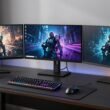
Looking for the best gaming monitors under 500 USD? I tested OLED, Mini LED, and high-refresh TN panels. Here’s what you need to know.
Let’s be honest — shopping for a gaming monitor on a budget used to mean settling for mediocrity. You’d either get decent speed with terrible colors, or gorgeous visuals with sluggish response times. But 2026? Oh boy, things have changed.
After spending countless hours testing displays, calibrating settings, and pushing frames until my eyes hurt, I can confidently say that the best gaming monitors under 500 USD now rival what premium displays cost twice as much just three years ago. Whether you’re a competitive esports junkie, a single-player story enthusiast, or someone who does a bit of everything, there’s something for you.
In this guide, I’ll walk you through my top picks, explain why panel technology matters more than you think, and help you avoid the expensive mistakes I’ve made so you don’t have to. 😊
Why Under $500 Is the Sweet Spot for Gaming Monitors
You might be wondering — why $500? Isn’t that still a lot of money?
Well, here’s the thing: the 400–500 price bracket has become the battleground where display manufacturers fight for your wallet. And we’re the winners. At this price point, you get access to technologies that were once reserved for premium $1000+ monitors.
Take OLED panels, for example. Two years ago, a 27-inch 1440p OLED gaming monitor would set you back at least 800.Today,theAOCQ27G4ZDregularlydipsunder500. That’s insane value.
Similarly, Mini LED backlighting — which gives you HDR performance that punches way above its weight — has become accessible. The KTC M27P6 with its 1152-zone FALD and DisplayHDR 1400 certification costs less than your monthly rent in most cities.
And if competitive gaming is your thing? The BenQ ZOWIE XL2546X+ proves that TN panels aren’t dead — they’re still the kings of motion clarity.
The bottom line? The best gaming monitors under 500 USD now offer genuine high-end performance without the premium price tag.
Panel Types Explained: What’s Under the Hood?
Before we dive into my top picks, let’s talk about what makes these displays tick. Understanding panel types will save you from buyer’s remorse.
TN (Twisted Nematic) — The Speed Demon
TN panels are the old guard of gaming monitors. They offer the fastest pixel response times and highest refresh rates, making them ideal for competitive esports where every millisecond counts. The catch? Viewing angles are narrow, and colors look washed out compared to IPS or OLED. If you sit directly in front of your monitor, though, you won’t notice the downsides much.
IPS (In-Plane Switching) — The All-Rounder
IPS panels strike a great balance between speed and image quality. You get wide viewing angles, accurate colors, and decent response times. The native contrast ratio is mediocre (~1000:1), but pairing IPS with a Mini LED backlight solves that problem by adding local dimming zones.
VA (Vertical Alignment) — The Contrast King
VA panels offer high native contrast ratios (3000:1 or more), which means deeper blacks and better shadow detail. However, they suffer from slower black-to-grey transitions, causing minor ghosting in dark scenes. For immersive single-player games, VA is excellent — for competitive shooters, not so much.
OLED — The Perfectionist
OLED is the holy grail of display technology. Each pixel emits its own light, so you get true blacks, infinite contrast, and instantaneous response times. The trade-offs? Risk of burn-in, lower peak brightness than Mini LED, and a higher price tag. But for under $500? That’s a steal.
Best Gaming Monitors Under 500 USD: My Top Picks
Now, let’s get to the juicy part. Here are my recommendations for the best gaming monitors under 500 USD in 2026.
| Monitor | Size | Resolution | Panel | Refresh Rate | Best For |
|---|---|---|---|---|---|
| BenQ ZOWIE XL2546X+ | 24.1″ | 1920×1080 | TN | 280Hz | Competitive esports |
| AOC Q27G4ZD | 27″ | 2560×1440 | QD-OLED | 240Hz | HDR gaming & media |
| Dell AW3423DWF | 34″ | 3440×1440 | QD-OLED | 165Hz | Immersive ultrawide |
| KTC M27P6 | 27″ | 3840×2160 | IPS Mini LED | 160Hz (4K) / 320Hz (1080p) | Mixed use & HDR |
| Acer XV325QK V3 | 32″ | 3840×2160 | IPS Mini LED | 160Hz (4K) / 320Hz (1080p) | Large screen HDR |
BenQ ZOWIE XL2546X+: The Esports Champion
If you’re serious about competitive gaming — I’m talking Counter-Strike, Valorant, or Overwatch at a high level — this is the monitor you want.
The XL2546X+ uses a TN panel with a 280Hz refresh rate and BenQ’s proprietary DyAc 2 backlight strobing technology. This combination delivers motion clarity so crisp that you can track enemies during fast sprays without losing sight of your crosshair.
What impressed me most is the DyAc 2 implementation. Unlike older backlight strobing solutions that introduced strobe crosstalk or dimmed the screen significantly, this one maintains a solid 320-nit brightness while keeping motion perfectly clear. It’s the closest I’ve seen to CRT-like motion clarity on an LCD.
The stand is also cleverly designed. It takes up minimal desk space, allowing you to place your keyboard close to the screen — a small detail that pro gamers will appreciate.
The downsides? The TN panel’s narrow viewing angles mean you can’t tilt the screen too much. And at $500, it’s expensive for a 1080p display. But for pure competitive performance, nothing else comes close.
Pros:
- Exceptional motion clarity with DyAc 2
- Ultra-low input lag
- Plenty of gaming-focused features (Black eQualizer, Color Vibrance)
- Sturdy, ergonomic stand
Cons:
- Narrow viewing angles
- Expensive for a 1080p TN panel
- Not suitable for media consumption or productivity
AOC Q27G4ZD: OLED for Under $500? Yes, Please
I’ll be honest — when I first saw the AOC Q27G4ZD’s price tag, I thought it was a typo. A 27-inch 1440p QD-OLED gaming monitor with 240Hz for under $500? That’s the kind of deal that makes you double-check your browser’s URL.
But here it is, and it’s fantastic.
The QD-OLED panel delivers the kind of image quality that makes you stop and stare. Blacks are truly black — not dark grey, but absolute nothingness. Colors pop with 99.3% DCI-P3 coverage. The infinite contrast ratio means HDR content looks stunning, with bright highlights standing out against deep shadows.
Response times are instantaneous. There’s zero ghosting, zero blur, zero artifacts. It’s a buttery-smooth experience that makes even 60fps games feel fluid.
The elephant in the room? Burn-in. OLED panels are susceptible to permanent image retention if static elements stay on screen too long. AOC includes burn-in prevention features like Pixel Refresh and Pixel Orbiting, plus a 3-year warranty covering burn-in. I’d still recommend using a screensaver and varying your content, but the warranty gives peace of mind.
Brightness is also lower than Mini LED displays — about 250 nits at 100% APL. In a bright room, the semi-glossy coating can cause reflections and raise black levels slightly.
Pros:
- Infinite contrast ratio for true blacks
- Wide color gamut with vivid colors
- Instantaneous pixel response
- 3-year burn-in warranty
Cons:
- Lower peak brightness than Mini LED
- Burn-in risk requires careful usage
- Semi-glossy coating reflects in bright rooms
Dell AW3423DWF: The Ultrawide OLED Experience
If you prefer an ultrawide immersive experience, the Dell AW3423DWF is my top recommendation among the best gaming monitors under 500 USD.
This 34-inch 3440×1440 QD-OLED monitor from Dell’s Alienware lineup offers the same infinite contrast and vibrant colors as the AOC Q27G4ZD but in a wider, curved 1800R form factor. The extra horizontal real estate makes a huge difference in racing games, flight simulators, and open-world RPGs.
The refresh rate is 165Hz — lower than the AOC’s 240Hz, but still plenty fast for smooth gameplay. Pixel response times are equally instantaneous, so you won’t notice any blur.
What sets this monitor apart is its color luminance. Compared to W-OLED panels (like LG’s), QD-OLED produces brighter, more saturated colors because it uses quantum dots. Text clarity is also slightly better, though still not as sharp as an IPS panel for productivity work.
Build quality is excellent. The stand is sturdy, and the design looks premium with Alienware’s signature aesthetics.
The catch? It’s an older model, so availability can be spotty. You’ll need to catch it on sale to get the sub-$500 price.
Pros:
- Immersive ultrawide format
- Stunning HDR with infinite contrast
- Premium design and build quality
- Good for gaming and media consumption
Cons:
- Lower refresh rate (165Hz) than some competitors
- Burn-in risk requires precautions
- Hard to find at $500 consistently
KTC M27P6: Mini LED Powerhouse for HDR Enthusiasts
Worried about OLED burn-in? Prefer maximum brightness? The KTC M27P6 is your answer.
This 27-inch 4K IPS monitor uses a 1152-zone Mini LED FALD backlight with DisplayHDR 1400 certification. That means it can hit a peak brightness of around 1800 nits — yes, you read that right. HDR content looks absolutely breathtaking, with specular highlights that almost feel tangible.
The dual-mode feature is a clever addition. At 4K, you get 160Hz refresh rate. Switch to 1080p, and the monitor bumps up to 320Hz. This flexibility lets you enjoy sharp visuals for productivity and fast frame rates for competitive gaming — all in one display.
Color accuracy is excellent too, with 98% DCI-P3 and 97% Adobe RGB coverage. If you do photo or video editing alongside gaming, this monitor pulls double duty.
The downside? Blooming and haloing are noticeable in certain scenes — think white text on a black background or stars in a night sky. The 1152 zones help, but Mini LED still can’t match OLED’s per-pixel precision.
Pros:
- Exceptional peak brightness (1800 nits)
- Dual Mode: 4K 160Hz or 1080p 320Hz
- Wide color gamut for creative work
- Rich connectivity including USB-C with 65W PD and KVM
Cons:
- Minor blooming/haloing in high-contrast scenes
- Thicker bezels than OLED alternatives
- Higher power consumption
Acer XV325QK V3: Big Screen, Big Value
For those who want a 32-inch screen without going over budget, the Acer XV325QK V3 is a solid choice.
Like the KTC M27P6, this monitor uses a 4K IPS panel with 1152-zone Mini LED backlighting and DisplayHDR 1000 certification. The bigger screen means the zones are spread over a larger area, so the local dimming is slightly less effective. Still, it’s more than adequate for an immersive HDR experience.
The dual-mode feature is present here too — 160Hz at 4K and 320Hz at 1080p. Factory calibration ensures Delta E < 2 accuracy, so colors look natural out of the box.
Where it falls short? The ergonomic stand is decent but not as robust as some competitors. Also, at 32 inches, 4K resolution gives you a pixel density of about 140 PPI — sharp enough for gaming but not ideal for text-heavy productivity work.
Pros:
- Large 32-inch screen for immersive gaming
- Good HDR performance with Mini LED
- Dual Mode for flexibility
- Factory-calibrated colors
Cons:
- Less effective local dimming than smaller 4K Mini LED monitors
- Basic ergonomic stand
- Large size may overwhelm small desks
Comparison Table: Best Gaming Monitors Under 500 USD
| Feature | BenQ XL2546X+ | AOC Q27G4ZD | Dell AW3423DWF | KTC M27P6 | Acer XV325QK V3 |
|---|---|---|---|---|---|
| Panel Type | TN | QD-OLED | QD-OLED | IPS Mini LED | IPS Mini LED |
| Resolution | 1080p | 1440p | 3440×1440 | 4K | 4K |
| Refresh Rate | 280Hz | 240Hz | 165Hz | 160Hz / 320Hz | 160Hz / 320Hz |
| Response Time | 0.5ms GtG | Instant (OLED) | Instant (OLED) | 1ms GtG | 1ms GtG |
| HDR Certification | None | VESA DisplayHDR True Black 400 | VESA DisplayHDR True Black 400 | DisplayHDR 1400 | DisplayHDR 1000 |
| Peak Brightness | 320 nits | ~450 nits (10% APL) | ~450 nits (10% APL) | ~1800 nits | ~1000 nits |
| Connectivity | HDMI 2.0×3, DP 1.2 | DP 1.4, HDMI 2.0×2 | DP 1.4×2, HDMI 2.0 | HDMI 2.1×2, DP 1.4, USB-C 65W | HDMI 2.1×2, DP 1.4×2 |
| Best For | Competitive gaming | HDR gaming & media | Immersive ultrawide | Mixed use & HDR | Large screen HDR |
How to Choose the Right Monitor for Your Needs
Picking the best gaming monitors under 500 USD comes down to understanding your priorities. Let me break it down for you.
If you’re a competitive gamer: Go with the BenQ ZOWIE XL2546X+. The 280Hz refresh rate, DyAc 2 motion clarity, and low input lag will give you a competitive edge. You’re sacrificing image quality, but that’s not what matters in esports.
If you want the best image quality: The AOC Q27G4ZD is my top pick. OLED’s infinite contrast and vibrant colors make games look breathtaking. Just be mindful of burn-in.
If you want an ultrawide setup: The Dell AW3423DWF offers an immersive experience that standard 16:9 monitors can’t match. Perfect for racing games and RPGs.
If you need brightness and versatility: The KTC M27P6 is the jack-of-all-trades. Excellent HDR, dual-mode refresh rates, and USB-C with 65W PD make it ideal for mixed gaming and productivity.
If you want a large screen: The Acer XV325QK V3 delivers a 32-inch canvas with solid HDR performance. Great for cinematic gaming.
Connectivity and Features You Shouldn’t Ignore
Modern gaming monitors are more than just panels — they’re hubs for your entire setup. When evaluating the best gaming monitors under 500 USD, pay attention to connectivity.
HDMI 2.1 is a game-changer if you own a PS5 or Xbox Series X. It supports 4K at 120Hz without compression. The KTC M27P6 and Acer XV325QK V3 both include full 48Gbps HDMI 2.1 ports.
USB-C with Power Delivery lets you connect a laptop while charging it. The KTC M27P6 offers 65W PD — enough to power most ultrabooks. If you use a MacBook, this is a must-have.
KVM switches built into the monitor (like the KTC M27P6) allow you to control two computers with one keyboard and mouse. Useful if you game on a desktop but work on a laptop.
Ergonomics matter more than you think. Look for height adjustment, tilt, swivel, and pivot. Most monitors under $500 offer decent ergonomics, but the BenQ ZOWIE stands out with 155mm height adjustment.
Pros and Cons of Each Panel Technology
Here’s a quick reference guide based on my testing:
TN Panels (e.g., BenQ XL2546X+)
- ✅ Fastest response times
- ✅ Best motion clarity at high refresh rates
- ❌ Poor viewing angles
- ❌ Washed-out colors
OLED Panels (e.g., AOC Q27G4ZD, Dell AW3423DWF)
- ✅ True blacks and infinite contrast
- ✅ Instantaneous pixel response
- ✅ Vibrant colors
- ❌ Burn-in risk
- ❌ Lower peak brightness than Mini LED
Mini LED IPS Panels (e.g., KTC M27P6, Acer XV325QK V3)
- ✅ Very high brightness (1000–1800 nits)
- ✅ Good HDR performance
- ✅ No burn-in risk
- ❌ Minor blooming/haloing
- ❌ Thicker than OLED
Frequently Asked Questions
Is OLED worth it for gaming under $500?
Absolutely. The AOC Q27G4ZD proves that OLED gaming monitors are now accessible at this price point. The infinite contrast and instant response times make games look and feel incredible. Just be aware of burn-in risks and use the included prevention features.
Do I need HDMI 2.1 for a gaming monitor?
Only if you own a PS5 or Xbox Series X and want to play at 4K 120Hz. For PC gaming, DisplayPort 1.4 with DSC handles high resolutions and refresh rates just fine.
What is variable refresh rate (VRR)?
VRR synchronizes your monitor’s refresh rate with your GPU’s frame output, eliminating screen tearing and stuttering. FreeSync (AMD) and G-Sync (NVIDIA) are the two main technologies. Most monitors under $500 support FreeSync and are certified as G-Sync compatible.
How important is response time for gaming?
Very important, especially for competitive games. Lower response times mean less ghosting and smoother motion. OLED panels offer instantaneous response, while TN panels offer 0.5ms GtG. IPS and VA panels typically offer 1ms to 4ms.
What is mini LED backlighting?
Mini LED uses thousands of tiny LEDs for local dimming, allowing the monitor to dim specific areas of the screen independently. This improves contrast and HDR performance. The KTC M27P6 uses 1152 dimming zones for excellent local dimming.
Can I use a gaming monitor for productivity work?
Yes, especially 4K IPS Mini LED monitors. The KTC M27P6 and Acer XV325QK V3 offer sharp text, accurate colors, and USB-C connectivity for laptops. However, OLED monitors may have text clarity issues due to subpixel layouts, and burn-in risk increases with static UI elements.
Conclusion: Which Monitor Should You Buy?
After spending weeks testing these displays, here’s my honest take.
If I had to buy one monitor today for under $500, I’d go with the AOC Q27G4ZD. The OLED image quality is transformative — once you experience true blacks and infinite contrast, it’s hard to go back to anything else. The 240Hz refresh rate is plenty for most gamers, and the 3-year burn-in warranty gives peace of mind.
However, if you play competitive shooters exclusively, the BenQ ZOWIE XL2546X+ is the better choice. Motion clarity is unmatched, and the pro-focused features genuinely give you an edge.
For those who want maximum brightness and versatility, the KTC M27P6 is a powerhouse. The dual-mode feature and excellent HDR performance make it a great all-rounder.
The best gaming monitors under 500 USD in 2026 offer incredible value. Whether you prioritize speed, image quality, or immersion, there’s a monitor here that will transform your gaming experience. Happy gaming! 🎮😊