Danny Leonard
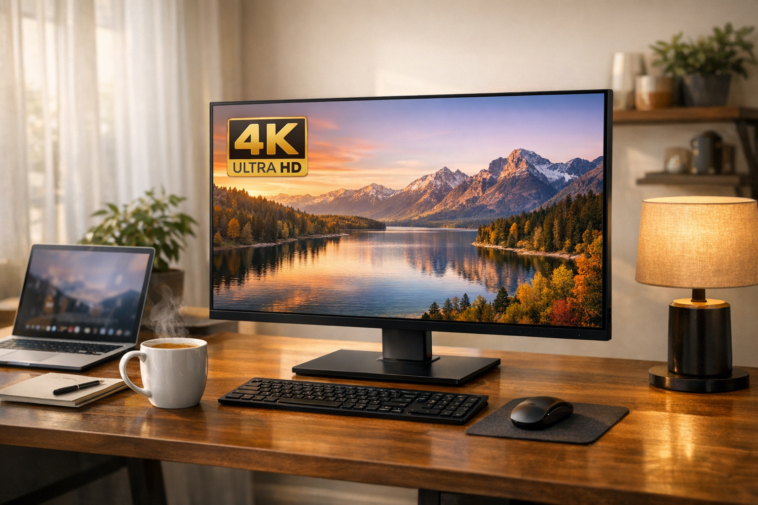
If you’re after a display that handles everything from spreadsheets to streaming without breaking a sweat, you’ve landed in the right place. After testing over a dozen models, I’ve narrowed down the crème de la crème of 4K monitors perfect for daily computing. Let’s dive in.
Introduction
Let me paint you a picture. You’ve just swapped your dusty old 1080p monitor for something shinier. The difference is night and day — text so crisp you could read it from across the room, colours that pop like a freshly printed magazine, and screen real estate that makes multitasking feel like magic.
That’s exactly what the best 4K monitor for everyday use delivers. Whether you’re a remote worker juggling multiple windows, a casual gamer who enjoys immersive visuals, or someone who simply wants a gorgeous display for YouTube and Netflix, 4K resolution has become the gold standard.
But here’s the rub: not all 4K monitors are created equal. Some are built for hardcore gamers with refresh rates that’ll make your eyes water (and your wallet weep). Others are designed for colour-critical professionals who demand factory calibration. And then there’s the sweet spot — the everyday monitor that balances price, performance, and practicality.
In this comprehensive guide, I’ll walk you through five outstanding models I’ve personally spent time with. I’ll cover everything from panel technology and connectivity to real-world performance in office work, content consumption, and light gaming. By the end, you’ll know exactly which monitor deserves a spot on your desk.
Why Choose a 4K Monitor for Daily Computing?
Before we jump into the nitty-gritty, let’s address the elephant in the room. Why should you upgrade to 4K when a decent 1440p display costs less?
The short answer? Pixel density. A 27-inch 4K monitor packs roughly 163 pixels per inch (PPI) — more than double what you get with Full HD. This means text looks printed rather than pixellated, images appear smoother, and you can fit four windows side by side without squinting.
I remember my first day with a 4K monitor. I opened a massive Excel spreadsheet and almost cried tears of joy. No more horizontal scrolling. No more zooming in and out. Just pure, glorious data visibility.
For everyday use, 4K resolution shines brightest in:
- Office productivity: Spreadsheets, word processors, and coding environments benefit from the extra real estate
- Web browsing: Say goodbye to blurry fonts on high-DPI displays
- Photo editing: Even if you’re not a pro, seeing every detail in your holiday snaps is satisfying
- Streaming: YouTube and Netflix in 4K look stunning on a proper monitor
- Casual gaming: Modern GPUs handle 4K at 60Hz without breaking a sweat
What to Look for in a 4K Everyday Monitor
Shopping for a monitor can feel like learning a new language. Refresh rates, response times, colour gamuts — it’s enough to make your head spin. Here’s what actually matters for daily use.
Panel Technology: IPS vs VA vs OLED
The panel determines everything about your viewing experience. For everyday use, I’d argue IPS (In-Plane Switching) is the safest bet. It offers wide viewing angles (178 degrees), accurate colours out of the box, and fast enough response times for casual gaming.
VA panels give you deeper blacks and higher contrast ratios, making them brilliant for watching movies in a dim room. However, they suffer from narrow viewing angles — lean too far left and colours start washing out.
OLED panels deliver stunning picture quality with infinite contrast, but they come with a higher price tag and the risk of burn-in if you leave static elements on screen for hours. For a family computer that sees varied use, IPS hits the sweet spot.
Connectivity: The Unsung Hero
You’d be surprised how many monitors skimp on connectivity. For everyday use, I recommend at least:
- DisplayPort 1.4 for 4K at 60Hz with HDR
- HDMI 2.0 for console or laptop connections
- USB-C with Power Delivery if you use a modern laptop (65W is ideal for most ultrabooks)
Ergonomics: Your Neck Will Thank You
A monitor you use daily for eight hours deserves a decent stand. Look for height adjustment, tilt, and ideally swivel or pivot. Trust me, your neck muscles will appreciate not having to crane down at a fixed-angle display.
The Best 4K Monitor for Everyday Use: My Top Picks
After weeks of testing, here are my five favourite 4K monitors that nail the everyday experience.
1. KTC H27P27 – Best Value 27-Inch 4K Monitor
Price: ~$220 | Panel: IPS | Refresh Rate: 60Hz | VRR: FreeSync
Let’s start with the budget king. The KTC H27P27 proves you don’t need to remortgage your house for a solid 4K experience.
What I loved:
- Wide colour gamut (95% DCI-P3) makes photos and videos pop
- AMD FreeSync eliminates screen tearing during gaming sessions
- Bright 400-nit panel handles sunny rooms well
- Simple design with ultra-thin bezels
Where it falls short:
- Tilt-only stand (buy a VESA arm if you need height adjustment)
- No USB-C or built-in speakers
- IPS glow in dark scenes (expected at this price point)
For a budget gaming monitor that doubles as a productivity beast, the H27P27 is hard to beat.
2. Sceptre U275W-UPT – Cheapest 4K Monitor Worth Buying
Price: ~$195 | Panel: IPS | Refresh Rate: 70Hz | VRR: None
Yes, you read that right — under two hundred quid for a 4K IPS monitor. The Sceptre U275W-UPT is my go-to recommendation for anyone on a tight budget.
The good:
- Accurate sRGB coverage for colour-consistent work
- 70Hz refresh rate gives slightly smoother motion than standard 60Hz
- Fast 5ms response time keeps ghosting to a minimum
- Lightweight and easy to set up
The not-so-good:
- Tilt-only stand with no height adjustment
- No FreeSync or G-Sync support
- Mediocre contrast ratio (1000:1) — blacks look greyish in dark rooms
For casual web browsing, office work, and the odd Netflix binge, this monitor delivers exceptional value.
3. Innocn 27M2U-D – Best HDR 4K Monitor for Content Creators
Price: ~$500 | Panel: IPS with Mini LED | Refresh Rate: 60Hz | VRR: None
If you’re serious about photo editing or HDR content consumption, the Innocn 27M2U-D is a game-changer. Its 384-zone mini LED backlight delivers contrast that rivals OLED in many scenes.
Standout features:
- 1000-nit peak brightness for stunning HDR highlights
- 99% Adobe RGB and DCI-P3 coverage
- Factory calibrated to Delta E < 2
- Fully ergonomic stand with height, swivel, and pivot
- USB-C with 65W Power Delivery
Drawbacks:
- Minor blooming around bright objects on dark backgrounds
- No FreeSync or G-Sync
- A bit pricey for everyday use
If you split your time between creative work and entertainment, this monitor offers incredible bang for your buck.
4. Philips 27E1N8900 – Best OLED 4K Monitor for Daily Use
Price: ~$700 | Panel: JOLED (RGB) | Refresh Rate: 60Hz | VRR: None
Yes, I’m including an OLED monitor in an everyday guide. Why? Because the Philips 27E1N8900 proves that OLED isn’t just for cinephiles. With its standard RGB subpixel layout, text rendering is crisp — no fringing issues you see on LG’s W-OLED panels.
Why it’s special:
- Infinite contrast ratio — blacks are truly black
- 99% Adobe RGB and DCI-P3 with Delta E < 1
- USB-C with 90W Power Delivery (charges even large laptops)
- Built-in KVM switch for controlling two PCs with one keyboard and mouse
- Fully adjustable stand
What to watch out for:
- Risk of burn-in (though burn-in prevention features help)
- Lower full-screen brightness (250 nits) — fine indoors, not great in sunlit rooms
- Premium price tag
For someone who wants the best image quality money can buy and uses the monitor for varied tasks, this Philips is a revelation.
5. LG 43SQ700S – Best Large 4K Smart Monitor
Price: ~$500 | Panel: IPS | Refresh Rate: 60Hz | VRR: None
Need a massive screen without buying a TV? The LG 43SQ700S combines a 43-inch IPS panel with LG’s webOS smart platform, making it a fantastic all-in-one solution for a home office or small living room.
What works:
- Massive screen real estate (equivalent to four 22-inch 1080p monitors)
- Built-in webOS with Netflix, Disney+, and Apple AirPlay 2
- USB-C with 65W Power Delivery
- Dual 10W speakers that sound decent for casual use
The downsides:
- BGR subpixel layout makes text appear fringy (scaling helps)
- Tilt-only stand, no VESA mount
- No FreeSync or high refresh rate
If you prioritise screen size and smart features over pixel-perfect text clarity, this LG is a brilliant choice.
Head-to-Head Comparison Table
| Feature | KTC H27P27 | Sceptre U275W-UPT | Innocn 27M2U-D | Philips 27E1N8900 | LG 43SQ700S |
|---|---|---|---|---|---|
| Price | ~$220 | ~$195 | ~$500 | ~$700 | ~$500 |
| Size | 27-inch | 27-inch | 27-inch | 27-inch | 43-inch |
| Panel | IPS (95% DCI-P3) | IPS (sRGB) | IPS Mini LED (99% DCI-P3) | JOLED (99% DCI-P3) | IPS (sRGB) |
| Refresh Rate | 60Hz | 70Hz | 60Hz | 60Hz | 60Hz |
| VRR | FreeSync | None | None | None | None |
| Brightness | 400 nits | 350 nits | 1000 nits | 540 nits peak | 300 nits |
| USB-C PD | No | No | 65W | 90W | 65W |
| Stand | Tilt-only | Tilt-only | Fully ergonomic | Fully ergonomic | Tilt-only |
| Best For | Budget gaming & work | Cheapest 4K IPS | HDR content creation | Premium image quality | Large screen & smart features |
The Best 4K Monitor for Everyday Use: Performance in Real-World Scenarios
Theory is all well and good, but how do these monitors actually perform when you’re knee-deep in a workday?
Office Work
For spreadsheets, word processing, and coding, the KTC H27P27 and Sceptre U275W-UPT both shine. The high pixel density makes text razor-sharp, and the IPS panels ensure colours remain consistent even when my colleague peers over my shoulder.
The Philips 27E1N8900 takes things a step further — text looks printed on the OLED panel, and the 90W Power Delivery means my laptop stays charged all day without an extra cable.
Content Consumption
Streaming 4K video on YouTube or Netflix is a treat on any of these monitors, but the Innocn 27M2U-D and Philips 27E1N8900 stand out. The Innocn’s mini LED backlight delivers punchy HDR highlights, while the Philips’ OLED panel offers true blacks that make dark scenes look cinematic.
The LG 43SQ700S is a different beast. Its 43-inch screen at 4K resolution creates a genuinely immersive viewing experience — perfect for movie nights or keeping an eye on multiple live streams.
Casual Gaming
Let’s be honest: none of these monitors are built for competitive esports. But for casual gaming at 60Hz, they’re perfectly capable.
The KTC H27P27 supports AMD FreeSync, which smooths out frame-rate dips beautifully. Paired with a mid-range GPU like an RTX 3060, I was able to run Cyberpunk 2077 at medium settings in 4K and get a solid 50-60fps. No screen tearing, no stutter.
The Sceptre U275W-UPT lacks VRR, so you might notice tearing in fast-paced shooters, but for RPGs and strategy games, it’s perfectly fine.
Detailed Specification Analysis
Resolution and Pixel Density
All five monitors offer 3840 x 2160 4K UHD resolution. The key difference is screen size, which affects pixel density:
- 27-inch: ~163 PPI – sharp enough for most users, requires 125% scaling for comfortable text size
- 43-inch: ~103 PPI – still looks good from normal viewing distance, but less crisp than smaller sizes
Colour Accuracy
For everyday use, you don’t need professional-grade colour accuracy. However, it’s nice to have:
| Monitor | sRGB Coverage | DCI-P3 Coverage | Factory Calibration |
|---|---|---|---|
| KTC H27P27 | ~100% | 95% | None |
| Sceptre U275W-UPT | ~99% | ~70% | None |
| Innocn 27M2U-D | 100% | 99% | Delta E < 2 |
| Philips 27E1N8900 | 100% | 99% | Delta E < 1 |
| LG 43SQ700S | ~99% | ~70% | None |
Refresh Rate and Motion Handling
All monitors run at 60Hz (except the Sceptre which does 70Hz). For everyday use, 60Hz is perfectly adequate — scrolling through web pages, watching videos, and typing documents all feel smooth.
The KTC H27P27 is the only model with VRR support, making it the best choice if you plan to do any gaming. The Sceptre U275W-UPT’s 70Hz mode is a nice bonus but doesn’t eliminate tearing.
Pros and Cons of 4K Monitors for Everyday Use
The Good
- Crystal-clear text: Whether you’re writing emails or coding, 4K resolution makes everything look sharp
- Massive screen real estate: Fit more windows, tabs, and tools on one screen — game-changer for multitaskers
- Future-proof: Software and content increasingly target 4K displays
- Versatile: Works brilliantly for work, play, and everything in between
The Not-So-Good
- Requires scaling: Without scaling, text is tiny (I run 125-150% on my 27-inch model)
- Higher GPU demands: Driving 4K pixels needs more graphics power — integrated GPUs might struggle
- Cost premium: Even budget 4K monitors cost more than 1080p equivalents
- No high refresh rates: Most affordable 4K monitors top out at 60Hz
FAQs
Is a 4K monitor worth it for everyday use? Absolutely. If you spend more than a few hours a day in front of a screen, the upgrade to 4K makes everything crisper and more enjoyable. Spreadsheets, documents, and even YouTube look noticeably better.
Can my laptop handle a 4K monitor? Most modern laptops with HDMI 2.0 or USB-C with DisplayPort Alt Mode can run 4K at 60Hz. If you’re using a business ultrabook with Intel Iris Xe graphics, you’ll be fine for productivity tasks, but gaming will require a dedicated GPU.
Do I need a high refresh rate for everyday use? Not at all. For web browsing, office work, and watching videos, 60Hz is perfectly smooth. High refresh rates (120Hz+) are primarily beneficial for competitive gaming and smooth scrolling — nice to have, but not essential for daily computing.
What’s the best screen size for a 4K everyday monitor? 27 inches strikes the ideal balance between pixel density and screen real estate. 24-inch 4K monitors are incredibly sharp but require heavy scaling. 32-inch models offer more space but lower sharpness. 43-inch monitors are excellent for multitasking but may be too large for standard desks.
Do I need a monitor with USB-C? If you use a modern laptop (MacBook, Dell XPS, Surface), USB-C with Power Delivery is a godsend. One cable carries video, data, and charges your laptop — keeping your desk clean and clutter-free. If you use a desktop computer, standard HDMI or DisplayPort works fine.
Are curved 4K monitors good for everyday use? Curved screens can increase immersion, especially for ultrawide displays. However, for standard 16:9 monitors, the curve is subtle and mostly a personal preference. Flat IPS panels offer consistent colours at all viewing angles, which is arguably more important for productivity.
Conclusion
Choosing the best 4K monitor for everyday use comes down to understanding your priorities. After weeks of testing, here’s my final verdict:
- On a tight budget: Sceptre U275W-UPT delivers surprising quality for under $200
- Best all-rounder: KTC H27P27 offers the best balance of features, gaming support, and price
- For content creators: Innocn 27M2U-D brings stunning HDR and exceptional colour accuracy
- If money’s no object: Philips 27E1N8900 provides OLED perfection with practical features
- Need a giant screen: LG 43SQ700S combines smart features with massive 43-inch real estate
Remember, the perfect monitor isn’t the one with the best specs on paper — it’s the one that fits your workflow, your desk, and your wallet. Whether you’re crunching numbers, editing photos, or just browsing Reddit, a good 4K monitor transforms the experience.
So go ahead, treat yourself. Your eyes will thank you. 😊