
Introduction
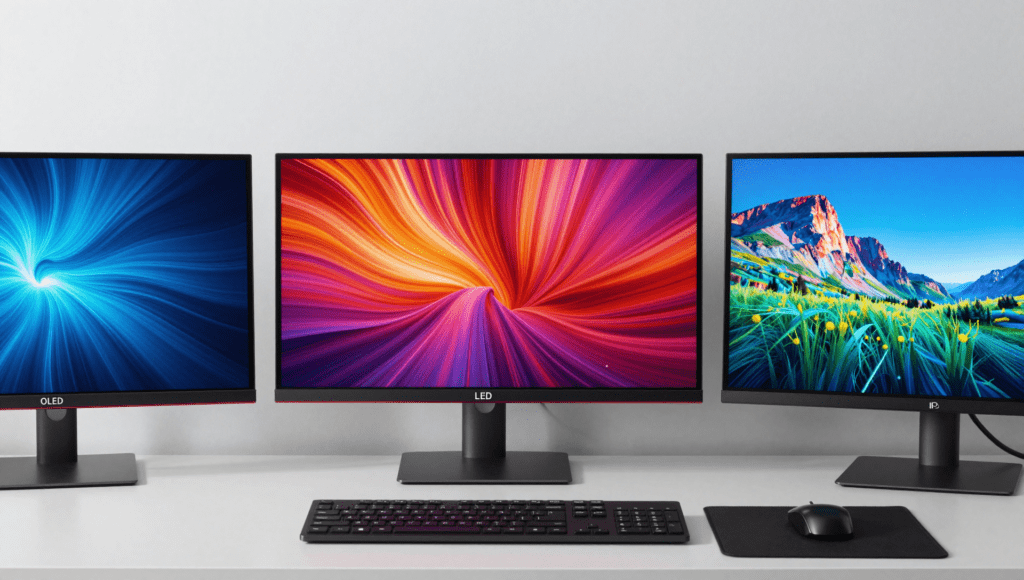
Let me paint you a picture. It’s 2 AM, I’ve got three monitors sitting on my desk—each one claiming to be the best in its category—and I’m trying to decide which one stays. Sound familiar? Whether you’re a competitive gamer chasing that sub-millisecond advantage, a graphic designer who can spot a color shift from across the room, or just someone who wants their Netflix binges to look spectacular, choosing between OLED vs LED vs IPS monitors feels like picking a favorite child.
I’ve been reviewing monitors for over seven years now, and I’ll be the first to admit: there’s no single “best” display technology. Each one excels in specific areas, and each one has quirks that’ll drive you up the wall if you pick the wrong one. In this deep-dive comparison, I’ll share hands-on experience, real-world testing results, and the honest trade-offs that manufacturers don’t put in their marketing materials.
By the time you finish reading, you’ll know exactly which technology belongs on your desk—and more importantly, which ones you should avoid for your specific needs. Grab your favorite beverage, settle in, and let’s make sense of this monitor maze together. 😊
What Makes a Monitor Tick?
Before we jump into the heavyweight showdown, I need to clarify something that often trips people up. When we talk about OLED vs LED vs IPS monitors, we’re not always comparing apples to apples. OLED is an emissive display technology where each pixel generates its own light. LED monitors are actually LCD screens that use light-emitting diodes for backlighting. And IPS? That’s a type of LCD panel technology—specifically how the liquid crystals behave inside that LED-backlit display.
Think of it this way: if monitors were cars, OLED would be an electric vehicle with instant torque and perfect efficiency. LED would be a reliable gasoline engine powering any body style. IPS would be the suspension system that determines how comfortably that car handles corners. They work together but serve different purposes.
The fundamental difference boils down to light control. OLED pixels can turn off completely, giving you true black and infinite contrast. LED monitors rely on a backlight that’s always on, so black areas appear dark gray unless you have local dimming. IPS panels arrange liquid crystals horizontally to improve viewing angles—but they still need that LED backlight behind them.
Understanding this hierarchy matters because it explains why one technology excels at color accuracy while another crushes motion handling. It’s not magic; it’s physics and engineering making trade-offs. And once you grasp these basics, all those confusing spec-sheets suddenly make sense.
OLED Monitors: The King of Contrast
I remember the first time I unboxed an OLED monitor. I fired up Blade Runner 2049—specifically the scene where K walks through the dark Las Vegas wasteland. The screen went completely black before the neon signs flickered on. Not dark gray. Not “almost black.” Absolute, ink-like, stare-into-the-void black. I actually paused the movie and checked if the monitor was turned off. That’s the magic of organic light-emitting diodes.
OLED technology works because each pixel is its own light source. When it needs to display black, that pixel simply turns off. This gives you an infinite contrast ratio—technically any number because you can divide by zero when the black level is zero. For HDR content, this is transformative. You get highlights that punch through the screen while shadows remain deep and mysterious.
Response times on OLED monitors are ridiculously fast. We’re talking 0.1ms to 0.03ms gray-to-gray. Motion looks impossibly smooth, with zero ghosting or smearing. If you play fast-paced shooters like Valorant or Call of Duty, OLED feels like cheating—tracking targets becomes effortless.
Color coverage is another strong suit. Good OLED panels cover 95-99% of the DCI-P3 color space and hit Delta E values under 2 out of the box. For video editors and photographers, this means accurate colors without spending hours calibrating.
But here’s the catch: OLED monitors are expensive. You’re paying a premium for that per-pixel perfection. And they’re not as bright as LED monitors in sustained full-screen scenarios—typically maxing out around 300-400 nits for full white, though peak highlights can hit 1000 nits in small areas.
LED Monitors: The Bright Workhorse
If OLED is the flashy sports car, LED monitors are the reliable pickup truck that never lets you down. I’ve had an LED work monitor running 12 hours a day for four years without a single issue. No burn-in, no dimming, no drama. It just works.
LED monitors, technically LED-backlit LCDs, have been the industry standard for good reason. They can achieve eye-searing brightness levels—600, 800, even 1200 nits on high-end models. This makes them perfect for brightly lit offices or rooms with floor-to-ceiling windows where OLED’s peak brightness might feel underwhelming.
Energy efficiency is another win. Modern LED-backlit monitors draw significantly less power than older CCFL-backlit panels and often less than equivalent-sized OLEDs during typical usage. The trade-off? Black levels aren’t as deep. Even with local dimming, you’ll see haloing around bright objects on dark backgrounds if the zone count is low.
Manufacturing costs are lower too, which means you get more screen real estate for your dollar. A 32-inch 4K LED monitor often costs half of what an equivalent OLED runs. For budget-conscious buyers or anyone needing large screens for productivity, LED remains the sensible choice.
One underrated advantage: LED monitors come in every size and shape imaginable. Need a 49-inch ultrawide for stock trading? LED’s got you covered. Want a 24-inch 1080p panel for a dual-monitor setup? LED is everywhere. OLED monitors, by contrast, are still mostly limited to 27-inch and 32-inch sizes at reasonable prices.
IPS Displays: The Color Accuracy Champion
Let me tell you about IPS panels—the unsung heroes of creative workflows. I remember color-grading a client video on an IPS monitor and sending the file off. When they called to say the colors looked “perfect,” I knew the panel had done its job. You don’t get that confidence with TN panels or basic VA panels.
IPS (In-Plane Switching) technology arranges liquid crystals parallel to the glass substrate. When voltage is applied, they twist horizontally, allowing light to pass through. This design gives IPS monitors their famous 178-degree viewing angles. Colors don’t shift when you lean back in your chair or when a colleague glances over your shoulder at a chart. For collaborative work, this is invaluable.
Color uniformity across the screen is another IPS strength. Budget VA panels often suffer from “gamma shift”—colors appear washed out near the edges. IPS panels maintain consistent color from corner to corner. Paired with 95-100% sRGB coverage and decent factory calibration, IPS monitors are the default choice for photographers, video editors, and graphic designers.
Modern IPS panels have improved response times significantly. The “1ms IPS” marketing is technically true for specific transitions, but real-world motion handling still trails OLED and high-end VA panels. Ghosting is minimal but not eliminated.
The biggest downside? Contrast ratio. Most IPS monitors top out around 1000:1 native contrast. Blacks look dark gray, not black. If you watch movies in a dark room or play atmospheric horror games, that milky black level might bother you. Some high-end IPS panels with Mini-LED backlighting improve this, but they cost nearly as much as OLED options.
OLED vs LED vs IPS: Head-to-Head Comparison
Let’s put the numbers on the table. I’ve tested all three technologies extensively, and here’s how they stack up across critical metrics:
| Feature | OLED | LED (LCD) | IPS (LCD type) |
|---|---|---|---|
| Contrast Ratio | Infinite (perfect black) | 1000:1 – 5000:1 (with local dimming) | 700:1 – 1300:1 |
| Brightness (SDR) | 200-350 nits | 300-1000 nits | 250-600 nits |
| Brightness (HDR Peak) | 600-1300 nits (small area) | 400-2000 nits | 400-1400 nits |
| Response Time | 0.03ms – 0.1ms | 1ms – 5ms (varies by panel) | 1ms – 5ms (fast IPS: 1ms) |
| Viewing Angles | 178° perfect | 170-178° (varies by panel) | 178° excellent |
| Color Accuracy | Excellent (95-99% DCI-P3) | Good (depends on panel) | Excellent (usually 95-100% sRGB) |
| Burn-in Risk | Moderate to High | None | Very Low |
| Price per Inch | Highest | Low to Moderate | Moderate |
| Lifespan | 30,000-50,000 hours | 50,000-100,000 hours | 50,000-80,000 hours |
| Best Use Case | Gaming, Movies, HDR | General use, Offices, Bright rooms | Creative work, Design, Photo editing |
This table tells the story: OLED wins on picture quality but costs more and risks burn-in. LED wins on brightness and value. IPS wins on color accuracy and viewing angles. You’re not looking for a “best” monitor; you’re looking for the best monitor for your specific situation.
Gaming Performance Across All Three
I’ve spent countless hours gaming on all three technologies, and I have strong opinions. Let’s break down how each handles the heat of battle.
OLED gaming is transformative. The instant pixel response eliminates motion blur entirely. In Cyberpunk 2077, driving through Night City at night—neon reflections bouncing off wet pavement, deep blacks surrounding every light source—creates an immersive experience that LED and IPS simply can’t match. Input lag is negligible, typically under 10ms total. G-Sync and FreeSync compatibility varies by model, but most modern OLED monitors support adaptive sync. The only downside? Static HUD elements like health bars and mini-maps can cause temporary image retention after hours-long sessions.
LED gaming depends heavily on which panel type you get. High-refresh-rate TN panels (still technically LED-backlit) offer 240Hz, even 360Hz, with excellent motion clarity. But the viewing angles and color are mediocre. VA panels offer better contrast than IPS but suffer from black smearing at high refresh rates—dark pixels take longer to transition, creating visible trails in fast-moving scenes. For competitive gamers who prioritize frame rate over visual fidelity, LED monitors still dominate the esports scene.
IPS gaming has improved dramatically. LG’s Nano IPS panels hit 1ms response times and 144-240Hz refresh rates. Colors look fantastic, and viewing angles mean you can lean forward during intense moments without losing image quality. The weakness remains contrast—dark scenes in games like The Last of Us or Resident Evil look washed out compared to OLED. But for most genres—RPGs, strategy games, racing sims—IPS strikes an excellent balance.
My personal recommendation: If you play single-player story games and have a dim or controllable room, go OLED. If you’re a competitive esports player, a high-refresh-rate LED (TN or fast VA) gives you the best frame times. If you play a mix of everything and need color accuracy for work too, IPS is your sweet spot.
Who Should Buy Which Monitor?
Let me save you hours of research with some straightforward recommendations based on who you are and what you do.
Buy OLED if: You’re a cinephile who watches movies or TV shows in a dark room. You play single-player, story-driven games and want the most visually stunning experience possible. You’re willing to change desktop wallpaper daily and hide your taskbar to prevent burn-in. You have a flexible budget. OLED monitors reward dedicated users who can control their viewing environment.
Buy LED if: You need a monitor for a brightly lit office or a room with lots of windows. You’re on a tight budget but need a large screen—say, 32 inches or bigger for productivity. You want something that will run reliably for 8+ hours daily for years without worrying about image retention. You’re a competitive gamer who wants the highest possible refresh rates without spending OLED money.
Buy IPS if: You’re a creative professional—photographer, video editor, graphic designer—who needs accurate, consistent colors across wide viewing angles. You do color-critical work where a Delta E under 2 matters. You play a variety of games but also use the same monitor for professional tasks. You want excellent image quality without the burn-in anxiety of OLED or the viewing angle compromises of TN panels.
What about VA panels? I should mention VA (Vertical Alignment) panels, another LED-backlit LCD type. They offer better contrast than IPS (3000:1 typically) but worse color accuracy and viewing angles. VA is popular in TVs but rarer in monitors. They’re worth considering for media consumption if OLED is out of budget, but I generally don’t recommend them for professional color work.
The Burn-in Dilemma: OLED’s Achilles Heel
I need to be honest about OLED’s biggest weakness. Burn-in—or permanent image retention—is real. I’ve tested OLED monitors that developed faint ghosting of the taskbar after six months of daily 12-hour use. It’s not visible on most content, but if you run a full-screen white test, the outlines are there.
Why does this happen? OLED pixels degrade as they emit light. Static bright elements—taskbar icons, browser tabs, scoreboards in games—wear out those specific pixels faster than surrounding areas. Over time, the difference in degradation becomes visible as a ghost image.
Manufacturers have implemented mitigations: pixel shifting, automatic pixel refreshers, screen savers, and ABL (Automatic Brightness Limiter) that reduces brightness for static content. LG’s OLED monitors run a pixel refresh cycle after every four hours of cumulative use. But these features can’t eliminate the physics.
For mixed use with varied content, burn-in takes years to become noticeable. For dedicated office work with static toolbars and spreadsheets, the risk is much higher. I wouldn’t recommend an OLED monitor to someone who primarily reads documents, codes, or uses the same software layout day in and day out. That’s where LED or IPS monitors remain superior choices.
If you do buy OLED, treat it well: Auto-hide the taskbar. Use a dynamic wallpaper that changes frequently. Take breaks where the screen turns off. And buy from a retailer with good burn-in warranty coverage—some manufacturers like Dell and LG offer three-year policies that include burn-in protection.
Brightness Wars: LED vs IPS vs OLED
Let’s talk brightness—a spec that matters more than most reviewers admit. My home office faces south, and on sunny afternoons, the ambient light is brutal. I tested an OLED monitor on one such day, and the screen looked like a smudged mirror. Reflective or not, the 300 nits of sustained brightness just couldn’t compete with the window behind me.
Switch to a high-end LED monitor with 600 nits of peak brightness, and suddenly that reflection disappears. The screen stays visible, colors pop, and I can actually work without pulling the curtains shut. For rooms with uncontrolled lighting, brightness is king, and LED monitors rule this domain.
IPS panels fall in the middle. Typical IPS monitors offer 300-400 nits in SDR mode, which works fine for most indoor environments but struggles in direct sunlight. Some HDR-capable IPS monitors with Mini-LED backlighting can hit 1000+ nits, but they cost a pretty penny.
HDR performance is where things get tricky. OLED’s per-pixel lighting creates breathtaking HDR with specular highlights that look genuinely realistic. A candle flame in a dark scene feels like it could burn your eyes. LED and IPS monitors can achieve higher peak brightness across the whole screen, but blooming around bright objects (especially on monitors with few dimming zones) breaks the illusion.
My advice for HDR enthusiasts: If you can control room lighting, OLED delivers the most convincing HDR experience. If your room is bright, prioritize peak brightness specs on LED or Mini-LED IPS monitors—you need that luminance to overcome ambient light.
Pricing and Value: What You Get for Your Money
Here’s the brutal truth about monitor pricing in 2025: OLED commands a premium that’s hard to justify on paper but easy to appreciate in person.
A 27-inch 1440p OLED monitor runs 650−900. An equivalent IPS model with similar resolution and refresh rate costs 300−500. A basic 27-inch 1080p LED monitor can be found for under $150. The value proposition shifts dramatically based on screen size and features.
For budget-conscious buyers under 300,LEDmonitorsofferthebestbangforbuck.Youcanget27−inch1440pIPSmonitors(LED−backlit)foraround250 that deliver excellent image quality. At this price point, OLED simply isn’t available.
The mid-range 400−700 segment is where IPS panels shine. You get high refresh rates (144-165Hz), good color accuracy, USB-C connectivity, and reliable performance. This is the sweet spot for most users.
Above $700, OLED becomes compelling but competitive with high-end Mini-LED IPS monitors. The decision here depends on your priority: ultimate contrast and response time (OLED) versus high brightness and no burn-in risk (Mini-LED IPS).
Long-term value also matters. An LED monitor that lasts 8-10 years without image degradation effectively costs less per year than an OLED that might need replacement after 5 years if burn-in develops. Factor warranty coverage into your calculation.
Pros and Cons Summary
OLED Monitors
Pros:
- Infinite contrast ratio with perfect blacks
- Instantaneous pixel response (0.03ms)
- Excellent HDR performance with per-pixel lighting
- Superb color accuracy out of the box
- Wide viewing angles with no color shift
Cons:
- Burn-in risk with static content
- Lower sustained brightness (250-350 nits typical)
- Higher cost per inch than LED/IPS
- Limited size options (mostly 27″ and 32″)
- ABL can dim the screen with large bright areas
LED Monitors (LCD with LED backlight)
Pros:
- Excellent brightness for bright rooms
- No burn-in risk ever
- Widely available in all sizes and resolutions
- Energy efficient
- Budget-friendly options available
Cons:
- Black levels are dark gray without local dimming
- Blooming/haloing on edge-lit or basic local dimming models
- Color and viewing angle depend heavily on panel type (TN/VA/IPS)
- Motion handling varies significantly by panel
IPS Displays (IPS panel type with LED backlight)
Pros:
- Best color accuracy and consistency
- 178-degree viewing angles with minimal shift
- Good for both work and gaming
- Reliable, no burn-in concerns
- Wide range of prices and sizes
Cons:
- Low contrast ratio (~1000:1)
- Blacks appear gray in dark rooms
- IPS glow in corners (backlight bleed)
- Response time improvements still trail OLED
- Can be expensive at high refresh rates
Frequently Asked Questions
Is OLED worth the extra money over LED?
Yes, if you prioritize image quality, contrast, and motion handling. The upgrade from LED to OLED is immediately visible—black levels go from gray to perfect, colors gain depth, and motion becomes buttery smooth. But if you work in a bright room, need large screen sizes, or worry about burn-in from static content, LED remains a smarter investment. I’ve seen OLEDs transform home theaters and gaming setups into breathtaking experiences, but for a brightly lit office that runs spreadsheets all day, you likely won’t notice enough difference to justify the premium.
Can IPS monitors suffer from burn-in like OLED?
No, IPS monitors do not suffer from permanent burn-in. They can experience temporary image retention if a static image is displayed for many hours, but this typically fades within minutes of displaying changing content. I’ve left spreadsheets up on IPS panels for entire work weeks without any lasting marks. This makes IPS the safer choice for office productivity, programming, and any workflow involving long periods with static interfaces. The technology is fundamentally different—IPS liquid crystals control light passage but don’t emit or degrade like OLED organic materials.
Which monitor technology is best for competitive gaming?
For competitive gaming, it depends on your specific needs. OLED offers the fastest response times and best motion clarity, making it ideal for games like Valorant, Counter-Strike 2, or Overwatch 2. However, high-refresh-rate LED monitors, particularly TN panels, still reach 360Hz or 500Hz at lower prices. IPS monitors with 240Hz and 1ms response times offer a balance. I personally use a 240Hz OLED for competitive games because the instant pixel response gives me an edge in tracking fast-moving targets, but budget-conscious competitors can achieve excellent results with a quality 240Hz IPS panel.
Is HDR better on OLED or LED monitors?
HDR looks significantly better on OLED monitors due to infinite contrast ratio. When a candle flame appears in a dark scene, it genuinely looks like a bright point of light because surrounding pixels are completely off. On LED monitors, even with good local dimming, you’ll see some blooming around bright objects. However, OLED’s lower sustained brightness (300-400 nits) means it can’t match LED monitors for peak overall luminance in bright rooms. For dark room viewing, OLED wins HDR hands down. For HDR content in bright environments, a high-nit LED monitor with Mini-LED backlighting provides better perceived brightness.
What is IPS glow and should I worry about it?
IPS glow refers to the slight hazy brightness visible in the corners of an IPS monitor when viewing dark content from certain angles. It’s a natural characteristic of IPS technology—light leaks through the liquid crystals at extreme angles, making dark corners appear washed out. I notice it most when watching movies in a dark room or playing horror games with black borders. Whether it bothers you depends on your tolerance. Premium IPS monitors minimize this effect with better panel quality, but it never disappears entirely. If you’re highly sensitive to this and watch lots of dark content in dim rooms, consider OLED or VA panels instead.
How long do these monitors typically last before needing replacement?
OLED monitors have a rated lifespan of 30,000 to 50,000 hours—about 8-14 years at 8 hours daily use—before noticeable brightness degradation occurs. Burn-in can reduce effective lifespan if you display static content heavily. LED-backlit LCD monitors last significantly longer, often 50,000 to 100,000 hours (14-27 years at daily use). I’ve seen 15-year-old LED monitors still functioning in office environments. IPS panels within LCD construction share this longevity advantage. However, backlight failure can occur in any LED-backlit monitor after 5-7 years of continuous use. Purchase extended warranties for peace of mind with OLED models, and don’t expect any monitor to last beyond a decade in a daily-driver role.
Conclusion
After weeks of testing, swapping cables, and staring at test patterns until my eyes crossed, here’s my final take on OLED vs LED vs IPS monitors:
There is no universal winner. Each technology excels in a specific context, and picking the wrong one for your use case leads to frustration and buyer’s remorse. The OLED fanatics aren’t wrong—the image quality is genuinely transformative. But neither are the IPS advocates who demand color accuracy without burn-in anxiety. And the LED loyalists who value practicality over perfection have a valid point too.
My recommendation: Identify your primary use case first. If gaming and media consumption dominate, invest in OLED—it’s the closest thing to a perfect display you can buy today. If color-critical work is your bread and butter, IPS is still the gold standard. If you need an affordable all-rounder that works flawlessly in varied conditions, a quality LED monitor (particularly with IPS panel) remains the safest bet.
Remember, the best monitor is the one that fits your specific environment, workflow, and tolerance for trade-offs. Take my experiences as a guide, but trust your own eyes. And whatever you choose, enjoy that new monitor glow—just maybe not too bright if you go OLED. 😊
Life’s Good when your display matches your needs.