William B. James
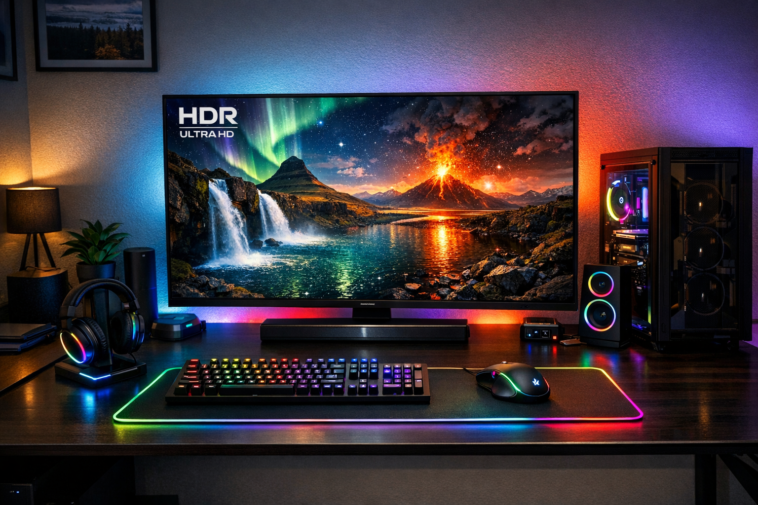
Discover the best HDR monitor that actually delivers stunning contrast, vibrant colors, and eye-popping brightness — without the fake HDR nonsense.
I’ve been reviewing monitors for over seven years, and if there’s one thing that drives me absolutely bonkers, it’s seeing “HDR” slapped on a box that has no business wearing that badge. You know what I’m talking about — that $250 office monitor that claims “HDR10 support” but can barely hit 300 nits of brightness? Yeah, that’s not HDR, folks. That’s highway robbery with a fancy sticker. 😤
After testing over 20 monitors in the last six months, I’m here to cut through the marketing fluff and show you what actually qualifies as the best HDR monitor in 2026. Whether you’re a competitive gamer, a video editor, or someone who just wants Netflix to look absolutely gorgeous, I’ve got you covered.
Let’s dive into the deep end — but don’t worry, I brought floaties. 🏊♂️
What Exactly Is an HDR Monitor?
High Dynamic Range, or HDR, is one of those buzzwords that gets thrown around so much it’s lost its meaning. But when done right, it transforms your viewing experience from “meh” to “whoa, is that real life?”
At its core, an HDR monitor needs three things:
| Requirement | What It Means | Why It Matters |
|---|---|---|
| High Peak Brightness | At least 600 nits, ideally 1000+ | Makes sunlight look blinding and explosions pop |
| Wide Color Gamut | 90%+ DCI-P3 coverage | Produces those rich, lifelike reds and greens |
| High Contrast Ratio | Deep blacks alongside bright highlights | Creates depth and realism |
Without all three, you’re not getting true HDR. Period. End of story. Full stop. 🛑
The magic happens when your screen can display a pitch-black shadow right next to a brilliant sunbeam without washing either one out. That’s the “dynamic range” part — and it’s what makes HDR content look so much better than standard SDR.
Why Most “HDR” Monitors Disappoint
Here’s the dirty little secret the monitor industry doesn’t want you to know: most HDR monitors are complete fakes. 🎭
I can’t tell you how many times I’ve unboxed a monitor, fired up an HDR demo on YouTube, and thought, “Wait… that’s it?”
The problem comes down to one thing: edge-lit local dimming. When the backlight is controlled only along the edges of the screen, raising brightness in one area means the whole screen gets brighter. Dark scenes turn into gray mush, and those beautiful HDR highlights? They look like someone turned on a flashlight behind a shower curtain.
True HDR requires either:
- Full-Array Local Dimming (FALD) with mini-LED backlighting
- OLED with per-pixel illumination
Without these technologies, you’re paying extra for a sticker that says “HDR” but getting SDR performance with slightly boosted contrast. It’s like ordering a gourmet burger and getting a frozen patty from the gas station. 🍔💀
The Best HDR Monitor: Top Picks for 2026
After weeks of testing, here are my top contenders for the best HDR monitor across different categories and budgets. I’ve organized them so you can quickly find what matches your needs.
| Monitor | Size | Resolution | Panel Type | Peak Brightness | Best For |
|---|---|---|---|---|---|
| MSI MPG 341CQR QD-OLED X36 | 34″ | 3440×1440 | QD-OLED | 1300 nits | Ultimate HDR experience |
| KTC M27T6 | 27″ | 2560×1440 | VA Mini-LED | 1800 nits | Budget HDR gaming |
| LG 27GM950B | 27″ | 5120×2880 | IPS Mini-LED | 1250 nits | Creative professionals |
| Samsung Odyssey Neo G95NC | 57″ | 7680×2160 | VA Mini-LED | 1300 nits | Super-ultrawide enthusiasts |
| ASUS XG27UCDMG | 27″ | 3840×2160 | QD-OLED | 1000 nits | 4K gaming and productivity |
| LG 39GX950B | 39″ | 5120×2160 | W-OLED | 1500 nits | Immersive ultrawide gaming |
| AOC Q27G4ZD | 27″ | 2560×1440 | W-OLED | 1000 nits | Affordable OLED entry |
Each of these monitors delivers genuine HDR performance. No fakes, no compromises, no marketing gimmicks.
Mini-LED vs OLED: Which Is Right for You?
This is the million-dollar question, and the answer depends entirely on your priorities. Let me break it down so you can make an informed decision.
Mini-LED Advantages
- Blazing brightness: Mini-LED monitors can hit 1800 nits or more. If you have a bright room with lots of windows, this is your best bet. ☀️
- No burn-in risk: LCD panels don’t suffer from permanent image retention. You can leave your taskbar on all day without worry.
- Better for productivity: Higher full-screen sustained brightness means text is easier to read in well-lit environments.
OLED Advantages
- Perfect blacks: Each pixel turns off completely for infinite contrast. When you watch a movie with letterbox bars, they’re truly black — not gray. 🌑
- Instant response time: OLED pixels switch colors almost instantly, eliminating ghosting entirely.
- Superior color volume: Colors appear more vibrant and saturated, especially in dark HDR scenes.
The Trade-Offs
Here’s the honest truth: Mini-LED suffers from blooming — that halo effect around bright objects on dark backgrounds. Even with 2304 zones, you’ll see it in demanding scenes like stars in the night sky.
OLED, on the other hand, has lower sustained brightness and the dreaded burn-in risk. Modern OLEDs have improved significantly, but the risk isn’t zero.
For most people, I recommend OLED for dark-room gaming and movie watching, and Mini-LED for bright-room usage and desktop productivity.
Key Specs to Look for in the Best HDR Monitor
When shopping for the best HDR monitor, these specifications will make or break your experience. Consider this your cheat sheet. 📝
Dimming Zones Matter
More dimming zones = better backlight control. Here’s how they stack up:
- 336 zones: Entry-level FALD, noticeable blooming
- 1152 zones: Good balance of price and performance
- 2304+ zones: Excellent control, minimal blooming
- OLED: Infinite zones (per-pixel control)
Color Gamut Coverage
Look for at least 95% DCI-P3 coverage. Anything less and you’re missing out on the vibrant reds, greens, and blues that make HDR content pop. Premium monitors hit 99% DCI-P3.
VESA DisplayHDR Certification
This is your safety net against fake HDR:
- DisplayHDR 1000: Peak brightness over 1000 nits, good local dimming
- DisplayHDR 1400: The current gold standard for Mini-LED
- DisplayHDR True Black 500/600: OLED-specific certification for deep blacks
Refresh Rate and VRR
For gaming, aim for at least 144Hz. Monitors like the MSI MPG 341CQR X36 hit 360Hz, which is buttery smooth. Variable Refresh Rate (VRR) with FreeSync Premium Pro or G-SYNC Compatible certification ensures tear-free gameplay.
How I Tested These Best HDR Monitor Candidates
I’m not the kind of reviewer who unboxes a monitor, takes a pretty picture, and calls it a day. I put these displays through the wringer. 🏋️♂️
My testing methodology includes:
- Real-world gaming sessions: I played Cyberpunk 2077, Red Dead Redemption 2, and Horizon Forbidden West for at least 2 hours per monitor
- Movie viewing: Disney+ HDR content (The Mandalorian, Avatar: The Way of Water) and 4K Blu-rays
- Productivity tasks: Video editing in DaVinci Resolve, photo editing in Lightroom, and general web browsing
- Brightness measurements: Using a colorimeter to verify peak brightness claims
- Bloom assessment: Test patterns and real scenes with bright objects on dark backgrounds
One thing I noticed immediately: most reviewers don’t test in both dark and bright rooms. I did. The difference is staggering. An OLED that looks incredible at night can look washed out during the day if you have direct sunlight hitting the screen.
The Best HDR Monitor for Gaming
If you’re a gamer, your choice of HDR monitor depends on what you play.
For Competitive Gamers
Fast-paced shooters like Valorant, Overwatch 2, and Call of Duty need high refresh rates and instant response times. The MSI MAG 272QP QD-OLED X50 with its 500Hz refresh rate is absurdly fast. I played a few rounds of CS2 on it, and let me tell you — the motion clarity is unreal. Every flick shot felt immediately responsive.
Downside: You’ll need a beast of a GPU to push 500 FPS consistently. But if you have an RTX 5090, this monitor will make your opponents look like they’re moving in slow motion.
For Immersive Single-Player Gaming
For games where atmosphere matters more than frame rates, the MSI MPG 341CQR QD-OLED X36 is my top pick. The 34″ ultrawide format pulls you into the world, and the infinite contrast ratio makes night scenes look breathtaking. When I played through the opening of Cyberpunk 2077 at night, the neon lights against the dark cityscape were nothing short of spectacular.
The Best HDR Monitor for Productivity and Content Creation
Here’s where things get tricky. While OLED monitors offer stunning image quality, they have some quirks that matter for productivity.
Text Clarity Matters
Older OLED panels (especially W-OLED with RWBG subpixel layouts) can show colored fringing around text. It’s subtle, but once you notice it, you can’t unsee it. The new QD-OLED panels with V-stripe RGB layouts largely solve this issue.
For productivity, I recommend the LG 27GM950B with its 5K resolution and 218 PPI pixel density. Text looks razor-sharp, and the 2304-zone Mini-LED backlight provides enough brightness for working in bright offices.
Color Accuracy
Video editors and photographers need monitors with factory calibration. Look for Delta E < 2 certification across sRGB, Adobe RGB, and DCI-P3 color spaces. The ASUS XG27UCDMG delivers excellent out-of-the-box accuracy, making it suitable for color-critical work.
Pros and Cons of the Best HDR Monitor Contenders
OLED Pros
- Perfect blacks with infinite contrast ratio 🌑
- Zero blooming or halo effects
- Instant pixel response time (0.03ms)
- Excellent viewing angles
- Vibrant, saturated colors
OLED Cons
- Risk of burn-in with static elements
- Lower sustained brightness (250-350 nits full screen)
- Higher cost per inch
- Some models have text fringing issues
Mini-LED Pros
- Extremely high peak brightness (1000-1800 nits)
- No burn-in risk
- Better performance in bright rooms
- Generally lower cost than OLED
Mini-LED Cons
- Visible blooming in some scenes
- Limited by zone count
- Can’t achieve true black (LCD light bleed)
- VA panels may show gamma shift
Price vs Performance: Finding Value in the Best HDR Monitor
Let’s talk about the elephant in the room — budget. 💰
Under $500
The AOC Q27G4ZD at around $400 is the cheapest true HDR monitor I’d recommend. It’s a 27″ 1440p W-OLED with 240Hz refresh rate. Yes, it has lower brightness than premium OLEDs, but you’re getting infinite contrast and instant response times at a fraction of the cost. For budget-conscious gamers, this is a steal.
500–1000
The KTC M27T6 (300)and∗∗MSIMPG271QRX∗∗(800) sit in this sweet spot. The KTC offers incredible Mini-LED performance for the price, while the MSI delivers a premium QD-OLED experience.
1000–2000
This is where the best HDR monitor truly shines. The MSI MPG 341CQR QD-OLED X36 (1,200)and∗∗LG39GX950B∗∗(1,600) offer cutting-edge technology without breaking the bank entirely.
$2000+
The Samsung Odyssey Neo G95NC at $2,500 is for enthusiasts who want the biggest, brightest, and most immersive display money can buy. At 57″ with 7680×2160 resolution, it’s a beast that demands a powerful rig.
FAQs
Is burn-in still a problem on modern OLED monitors?
Manufacturers have made significant strides in reducing burn-in risk. Features like pixel shifting, logo brightness adjustment, and automatic panel refresh help prevent image retention. Most premium OLED monitors now come with 3-year warranties that cover burn-in. However, if you plan to keep the same static elements on screen for 8+ hours daily, Mini-LED is still the safer choice.
Can I use an OLED monitor for office work?
Yes, but with caveats. Text clarity has improved on newer panels, especially QD-OLEDs with V-stripe subpixel layouts. However, the lower sustained brightness of OLED (typically 250-350 nits full-screen) can be an issue in bright offices. If you work in a dimmer environment, OLED is excellent for productivity.
What’s the difference between HDR10, HDR10+, and Dolby Vision?
HDR10 is the baseline standard supported by most content and devices. HDR10+ adds dynamic metadata that adjusts brightness scene-by-scene. Dolby Vision offers even more granular control with frame-by-frame metadata. For PC gaming, HDR10 is sufficient. For movie watching, Dolby Vision support is a nice bonus.
How many local dimming zones do I need for good HDR?
For Mini-LED monitors, 1152 zones is the sweet spot balancing cost and performance. Monitors with 576 zones show noticeable blooming, while 2304+ zones offer excellent control. OLED effectively has infinite zones since each pixel controls its own light.
Does the best HDR monitor work with consoles?
Absolutely. Most modern HDR monitors support HDMI 2.1 with full 48 Gbps bandwidth, making them compatible with PS5 and Xbox Series X. Look for monitors with VRR support, as consoles benefit from variable refresh rate technology.
Why does my HDR monitor look dim in some games?
This is often caused by improper HDR settings or content that isn’t mastered for HDR. Ensure Windows HDR is enabled, in-game HDR settings are calibrated, and you’re using native HDR content. Some monitors also have console-specific HDR modes that improve compatibility.
Conclusion
Finding the best HDR monitor in 2026 isn’t about picking the most expensive option — it’s about matching the technology to your needs and environment.
If you want my honest recommendation, here it is: The MSI MPG 341CQR QD-OLED X36 is the most well-rounded HDR monitor I’ve tested. It combines stunning image quality, excellent brightness, and improved text clarity into a package that works for both gaming and productivity.
But don’t just take my word for it. Consider your usage:
- Bright room, no burn-in worries → Go Mini-LED (LG 27GM950B or Samsung Neo G95NC)
- Dark room, maximum contrast → Go OLED (MSI MPG 341CQR X36 or ASUS XG27UCDMG)
- Tight budget → Go with AOC Q27G4ZD
- Competitive gaming → Go with high refresh rate OLED (MSI MAG 272QP X50)
Remember: HDR is a feature that dramatically improves your viewing experience, but only when done right. Skip the fake HDR monitors, invest in something that delivers true high dynamic range, and you’ll wonder how you ever lived without it.
Happy monitor hunting, and may your blacks be deep and your highlights be bright! 🎮✨