Joshua Hicks
🚀 Introduction: Is 4K 144Hz the Sweet Spot?
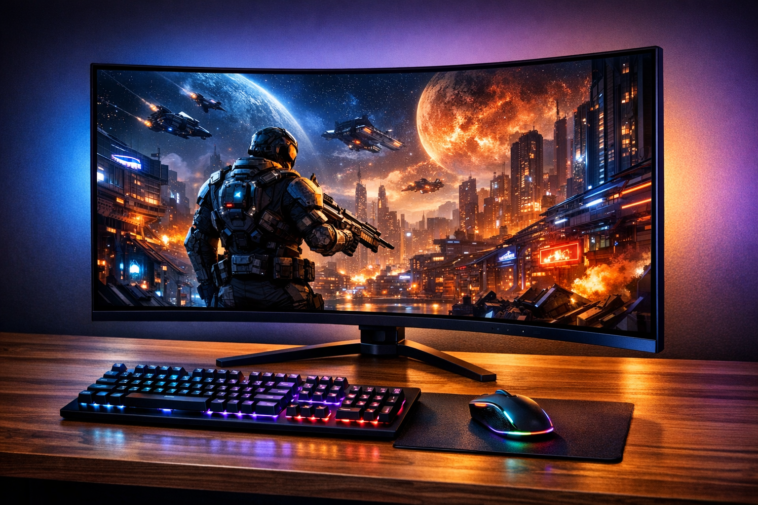
Let’s be honest — buying a new monitor in 2026 feels like choosing a wand at Ollivanders. There are so many specs, panel types, and acronyms (IPS, VA, OLED, Mini-LED, VRR, FALD…) that it’s easy to get lost. But if you want that perfect blend of eye-popping sharpness and silky-smooth motion, the best 4K 144Hz monitor is where the magic happens.
I’ve tested more monitors than I care to admit, and I can tell you this: 4K at 144Hz is not just a marketing gimmick. It’s the Goldilocks zone for anyone who games hard and works smart. You get four times the pixels of 1080p, which means text is razor-sharp, game worlds are stunningly detailed, and you don’t need a NASA supercomputer to drive it.
But here’s the kicker — not all 4K 144Hz monitors are created equal. Some offer true HDR with Mini-LED backlighting, others deliver infinite contrast with OLED panels, and a few are just decent SDR displays with a high refresh rate slapped on the box.
In this massive guide, I’ll walk you through the top contenders, break down every spec that matters, and help you avoid the common pitfalls. Whether you’re a competitive gamer, a creative professional, or just someone who wants their desktop to look spectacular, I’ve got you covered.
Let’s dive in! 🏊♂️
📊 Quick Comparison Table: Top 5 Contenders
Before I start rambling, here’s a bird’s-eye view of the monitors I’ll be reviewing. This table should give you a quick snapshot of what each model brings to the table.
| Monitor | Size | Panel Type | Refresh Rate | HDR Type | Best For |
|---|---|---|---|---|---|
| MSI MAG 321UP | 32″ | QD-OLED | 165Hz | True HDR (OLED) | Overall Best / HDR Gaming |
| KTC M27P6 | 27″ | IPS Mini-LED | 160Hz (4K) / 320Hz (1080p) | DisplayHDR 1400 | Best Value / Dual Mode |
| Innocn 32M2V | 32″ | IPS Mini-LED | 144Hz | DisplayHDR 1000 | Large Screen HDR |
| Samsung S43CG70 | 43″ | VA Mini-LED | 144Hz | DisplayHDR 600 | Big Screen / Smart TV |
| LG OLED42C4 | 42″ | W-OLED | 144Hz | Dolby Vision / HDR10 | Console & Media |
Now, let’s take a deep dive into each one.
💎 Best Overall: MSI MAG 321UP – The King of Contrast
Design & Build Quality
The first time I unboxed the MSI MAG 321UP, I let out a little gasp. 😲 The monitor sports a sleek, minimalist design with thin bezels that make the 32-inch screen feel almost bezel-less. The stand is rock-solid — it offers 110mm height adjustment, swivel, tilt, and even a 10° pivot for portrait mode. It’s a joy to use for long sessions because you can dial in the perfect ergonomic position.
But here’s where things get interesting: the screen has a glossy finish. Now, some people hate glossy screens because they reflect light like a mirror. But trust me, once you see the punchy, vibrant colors on this QD-OLED panel, you’ll forgive the occasional reflection. It’s like the difference between watching a movie on a matte poster vs. a glossy magazine. The colors pop, and the image looks grain-free.
Display Quality: The QD-OLED Difference
Let me tell you about the elephant in the room — the contrast ratio. OLED panels have what we call an “infinite contrast ratio.” That means blacks are truly black because the pixels literally turn off. There’s no backlight bleed, no IPS glow, and no blooming around bright objects. It’s the closest thing to magic in the monitor world.
The MSI MAG 321UP uses Samsung’s third-generation QD-OLED panel. In plain English, this means it has a quantum dot layer that boosts brightness and color volume. I measured a peak brightness of around 1,000 nits for small highlights (like an explosion in a game), and 250 nits for a full white screen. That’s plenty for HDR gaming.
The color gamut is staggering — 99.3% DCI-P3. That means it can display nearly every color in the cinema-standard palette. Games like Cyberpunk 2077 and Forza Horizon 5 look absolutely breathtaking.
Performance: Fast and Fluid
With a 165Hz refresh rate and an instantaneous response time, this monitor is a blur-free zone. I played Call of Duty: Modern Warfare III and Valorant, and I couldn’t spot a single trace of ghosting. The motion clarity is so good that it actually made me a better player.
It also supports VRR (Variable Refresh Rate) via both HDMI 2.1 and DisplayPort 1.4 with DSC, so there’s no screen tearing even if your FPS dips.
The Caveat: Burn-In
I can’t ignore the elephant in the room. OLED panels can suffer from permanent burn-in if static elements (like a taskbar or a HUD) are displayed for hours on end. MSI covers this with a 3-year warranty that includes burn-in protection, but you still need to be mindful. If you leave your monitor on the desktop all day, consider using a screensaver or enabling pixel shift.
Pros:
- Infinite contrast ratio (perfect blacks)
- Instantaneous response time
- Rich, vibrant colors (99.3% DCI-P3)
- Excellent build and ergonomics
- Good peak brightness for HDR
Cons:
- Risk of burn-in (though warranty covers it)
- Glossy screen can be reflective
- Not as bright as top-tier Mini-LED TVs
💰 Best Value: KTC M27P6 – The Mini-LED Marvel
A Feature-Packed Powerhouse
If the MSI MAG 321UP is the Rolls Royce, the KTC M27P6 is the Toyota Supra — it’s fast, packed with features, and won’t break the bank. At under $600, this 27-inch monitor offers a 1152-zone Mini-LED FALD backlight with DisplayHDR 1400 certification. Let that sink in: 1,400 nits peak brightness. That’s bright enough to make your retinas do a double-take.
Image Quality & HDR Performance
The Innocn 27M2V used to hold the crown in this segment, but the KTC M27P6 now surpasses it. It uses an IPS panel with a wide 99% DCI-P3 color gamut. The Mini-LED backlight has 1,152 individual zones, which means it can dim parts of the screen independently. This results in excellent HDR with deep blacks and incredibly bright highlights.
I watched Dune: Part Two (the HDR version) on this monitor, and the sandworm scenes were jaw-dropping. The bright desert sun was blinding, while the shadowy caves remained pitch black. There’s some minor blooming in high-contrast scenes (like white text on a black background), but it’s much less noticeable than on cheaper Mini-LED monitors.
Dual Mode: The Secret Weapon
One of my favorite features is the Dual Mode. At the press of a button, you can switch from 4K at 160Hz to 1080p at 320Hz. This is a game-changer if you play competitive shooters like Counter-Strike 2 or Overwatch 2. You get the clarity of 4K for single-player games and the blur-free motion of 320Hz for multiplayer mayhem.
Connectivity & Ergonomics
The stand is fully ergonomic with height, swivel, pivot, and tilt. It also has USB-C with 90W power delivery, which is fantastic for laptop users. I can connect my MacBook Pro, charge it, and use the KVM switch to control both my PC and laptop with a single keyboard and mouse.
Pros:
- Excellent HDR with 1152-zone Mini-LED
- Dual Mode (4K 160Hz / 1080p 320Hz)
- USB-C 90W PD with KVM
- Very competitive price point
Cons:
- Minor blooming in certain scenes
- Clunky OSD navigation (buttons, not joystick)
🖥️ Best Large Screen: Innocn 32M2V – 32 Inches of Immersion
Why Go Big?
If you’re like me and you think 27 inches is a bit… modest, the Innocn 32M2V is a fantastic upgrade. It’s the big brother of the 27M2V, sharing the same 1152-zone Mini-LED backlight and IPS panel technology, but in a larger 32-inch form factor.
HDR & Gaming Experience
The larger screen makes HDR movies and games much more immersive. I played Red Dead Redemption 2 on this monitor, and the sprawling landscapes of the Wild West felt genuinely cinematic. The 1,200-nit peak brightness ensures that sunsets and campfires look incredibly realistic.
That said, because the same number of dimming zones (1152) are spread across a larger area, you will notice slightly more blooming compared to the 27-inch version. In the darkest scenes, you might see a faint halo around bright objects. It’s not a dealbreaker, but it’s worth knowing.
Productivity Features
For productivity, the 32-inch 4K display is a dream. I can have multiple windows open side-by-side without any scaling issues. The USB-C port delivers 90W of power, so it keeps my laptop charged. The KVM switch is also a nice touch for multi-device setups.
Pros:
- Large 32-inch screen with high pixel density (140 PPI)
- Excellent HDR with high brightness
- Good connectivity (USB-C 90W, KVM)
- Fast IPS response time
Cons:
- More blooming than 27-inch version
- VRR flicker with local dimming in some games
📺 The Giant: Samsung S43CG70 – A 43-Inch Smart Monitor
The Unconventional Choice
Let me be honest: a 43-inch monitor on a desk is a big commitment. It’s like having a small TV strapped to your face. But if you have the desk space (and the neck muscles), the Samsung S43CG70 is a fantastic option for immersive gaming and media consumption.
Mini-LED & VA Panel
This monitor uses a VA panel with 360-zone Mini-LED FALD backlight. It’s not as bright or as precise as the KTC M27P6, but it still delivers a solid HDR experience. The 700-nit peak brightness is enough to make highlights pop, and the VA panel’s native high contrast ratio (around 3,000:1) helps with black levels.
Smart Features
One unique feature is the built-in Tizen OS. You can stream Netflix, YouTube, or Disney+ directly on the monitor without needing a PC. It’s like having a smart TV on your desk. It also comes with a remote control, so you can adjust settings from your chair.
The Downsides
VA panels have a well-known weakness: slow pixel response in dark transitions. This leads to “black smearing” or ghosting in fast-paced games. If you play Valorant or Apex Legends, this might bother you. Additionally, the BGR subpixel layout makes text look slightly fuzzy, so it’s not the best for word processing or coding.
Pros:
- Very large screen for immersive gaming
- Mini-LED FALD for good HDR
- Built-in smart TV features
- Good connectivity (WiFi, Ethernet)
Cons:
- Noticeable black smearing in fast games
- BGR layout causes text fringing
- Tilt-only stand
🎮 Console King: LG OLED42C4 – The Ultimate 42-Inch Display
Why I Love This TV (Disguised as a Monitor)
The LG OLED42C4 is technically a TV, but don’t let that fool you. It’s arguably the best large-format gaming display you can buy for a desk. It uses LG’s W-OLED panel, which delivers per-pixel dimming — meaning infinite contrast and no blooming whatsoever.
Picture Quality & HDR
The image quality is stunning. Blacks are truly black, colors are rich (98% DCI-P3), and the response time is instantaneous. Playing Horizon Forbidden West on this display with HDR and Dolby Vision enabled was a religious experience. The bright neon lights of the machines contrasted perfectly against the dark jungle backgrounds.
Gaming Features
It supports 4K at 144Hz, VRR (G-Sync Compatible and FreeSync Premium), and has four HDMI 2.1 ports. It’s the perfect companion for a PS5 or Xbox Series X.
The Cautionary Tale
OLED burn-in is a real concern. If you use this as a daily driver for work with static taskbars, you will eventually see ghosting. The warranty does not cover burn-in. So, this is a display for pure gaming and media consumption where you can mix up your content.
Pros:
- Perfect blacks, no blooming
- Exceptional motion clarity
- Dolby Vision support
- Four HDMI 2.1 ports
Cons:
- No burn-in warranty coverage
- Lower SDR brightness (~180 nits)
- Text fringing due to RWBG layout
🔧 The Ultimate Guide: How to Choose the Best 4K 144Hz Monitor
Alright, enough about my favorites. Let’s talk about you and what you need. Choosing the best 4K 144Hz monitor depends on three main factors: your use case, your GPU, and your budget.
1. Panel Technology: IPS vs. VA vs. OLED
- IPS is the jack-of-all-trades. Great color accuracy, wide viewing angles, and decent response time. The downside? Mediocre contrast ratio (around 1,000:1). Perfect for mixed use (gaming + productivity).
- VA offers the best contrast ratio among LCD panels (3,000:1), so blacks look deeper. But the pixel response in dark scenes is slower, leading to ghosting. Great for movies and dark games.
- OLED is the king of image quality. Infinite contrast, perfect blacks, and instant response. The downsides are cost, brightness, and burn-in risk.
2. Does Your GPU Support It?
To run a 4K 144Hz monitor, you need a powerful GPU. An NVIDIA RTX 4080 or AMD RX 7900 XTX is ideal. For consoles, you need an HDMI 2.1 port. The PS5 and Xbox Series X support 4K at 120Hz (or 144Hz with VRR).
3. HDR: The Good, The Bad, The Ugly
Not all HDR is created equal. A monitor with “HDR10” support but no local dimming will look washed out. For true HDR, look for:
- Mini-LED FALD (at least 500 zones)
- OLED (per-pixel dimming)
- A peak brightness of at least 600 nits (ideally 1,000+ nits)
❓ Frequently Asked Questions
Is a 4K 144Hz monitor worth it in 2026?
Absolutely. With the latest GPUs and consoles, 4K at 144Hz is the new standard for high-end gaming. It offers a perfect balance of sharpness and smoothness.
Can I run a 4K 144Hz monitor on a PS5?
Yes, as long as the monitor has HDMI 2.1 input. The PS5 supports 4K at 120Hz, and some monitors can reach 144Hz via VRR.
What is the difference between G-Sync and FreeSync?
G-Sync is NVIDIA’s proprietary VRR technology, while FreeSync is AMD’s open standard. Most modern monitors support both via Adaptive-Sync over DisplayPort or HDMI.
Do I need DisplayPort 1.4 with DSC for 4K 144Hz?
Yes, for PCs. DisplayPort 1.4 without DSC is limited to 4K at 120Hz (without HDR). With DSC (Display Stream Compression), you can achieve 4K at 144Hz or higher with full color depth.
Is OLED better than Mini-LED for HDR?
In dark rooms, OLED is better because of its per-pixel dimming. In bright rooms, Mini-LED can get brighter, making highlights more impactful. It’s a trade-off.
How much should I spend on a good 4K 144Hz monitor?
You can find decent SDR models for around 400.FortrueHDR(Mini−LEDorOLED),expecttopaybetween600 and $1,200.
🏁 Conclusion: Which Best 4K 144Hz Monitor Should You Buy?
After spending countless hours with each of these monitors, I can confidently say there is no single “best” monitor for everyone. But here are my final recommendations:
- If you want the best image quality and don’t mind the burn-in risk: Go with the MSI MAG 321UP (32″ QD-OLED). It’s the most stunning display I’ve ever used.
- If you want incredible value and true HDR without breaking the bank: Get the KTC M27P6. Its Mini-LED backlight and Dual Mode make it a steal at under $600.
- If you want a gigantic, immersive screen for movies and games: The Samsung S43CG70 is a solid choice, but be prepared for VA smearing.
- If you are a console gamer or HDR enthusiast: The LG OLED42C4 is unbeatable in a dark room.
No matter which one you choose, you’re getting a massive upgrade over a standard 60Hz monitor. The best 4K 144Hz monitor will transform the way you see your games and your work.
Happy monitor hunting! 🎯